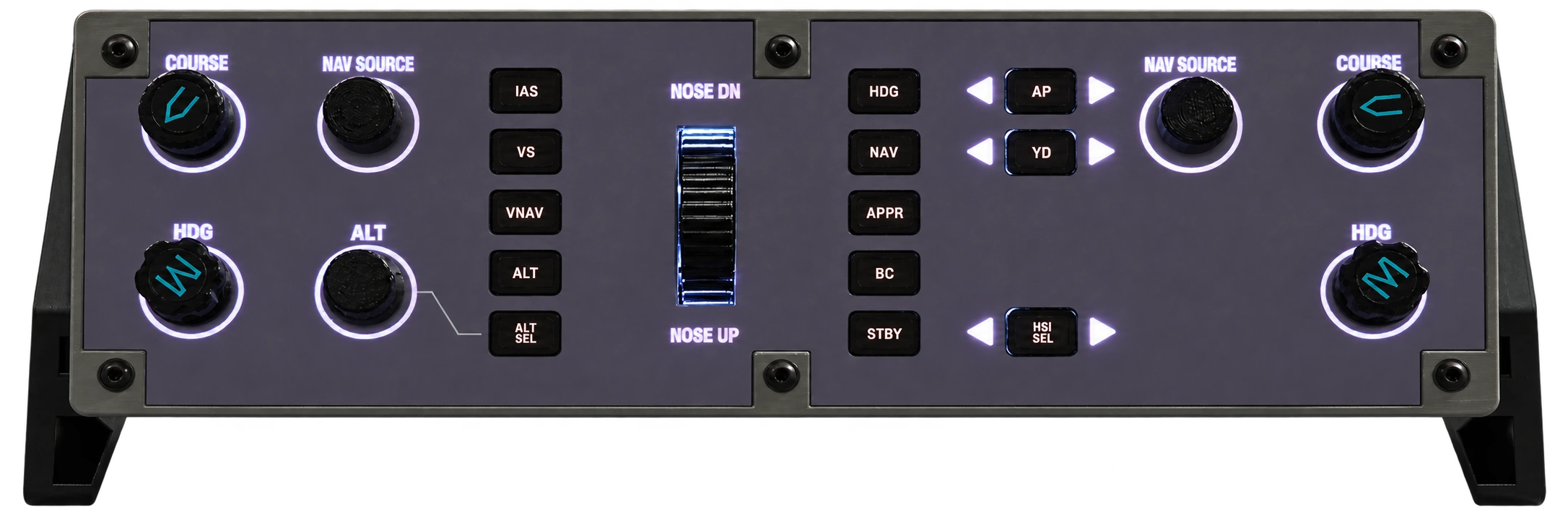
Backlight off
Get a feel for the details.
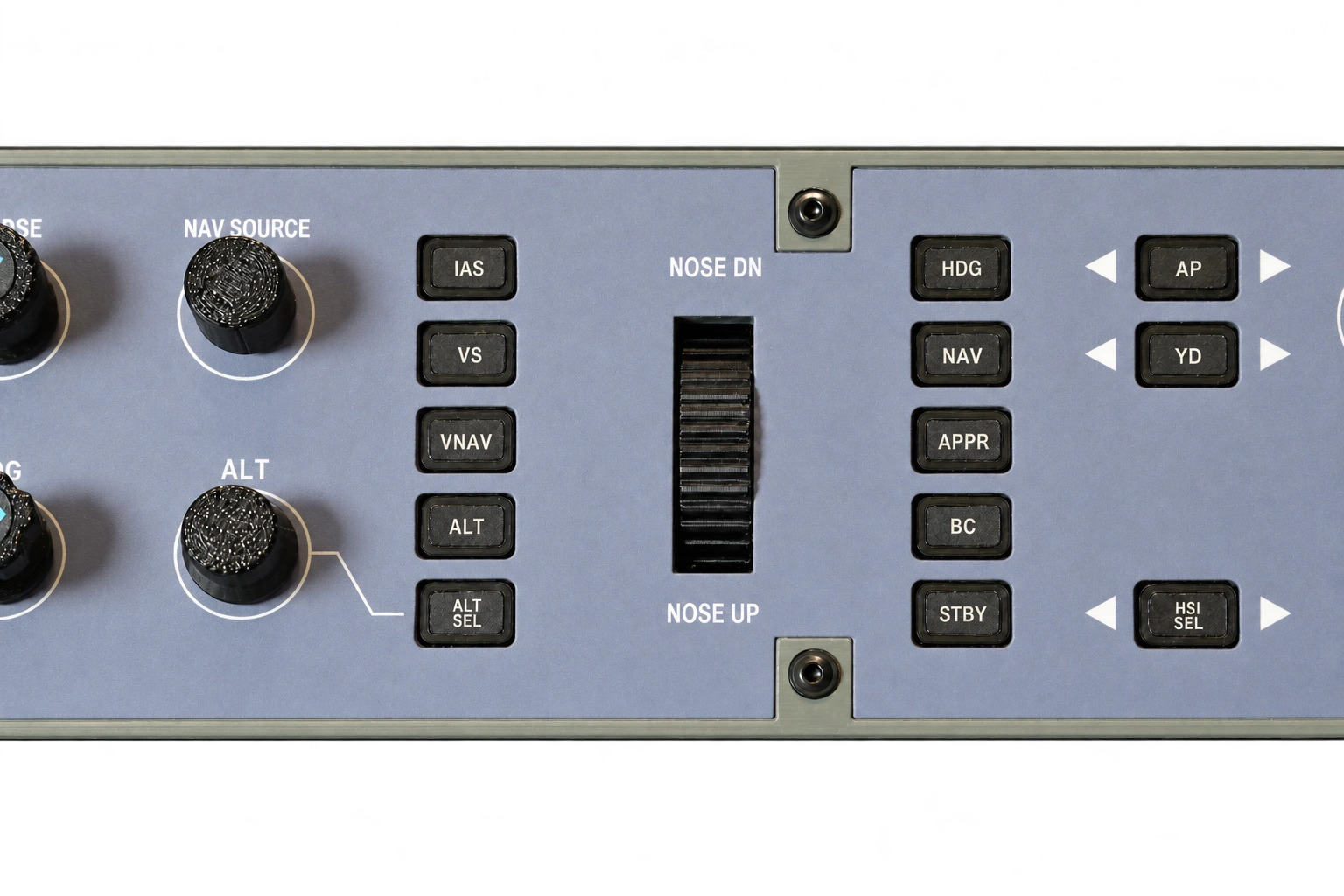 Explore the details ↗
BRASS WORKS · Q400 FAMILY
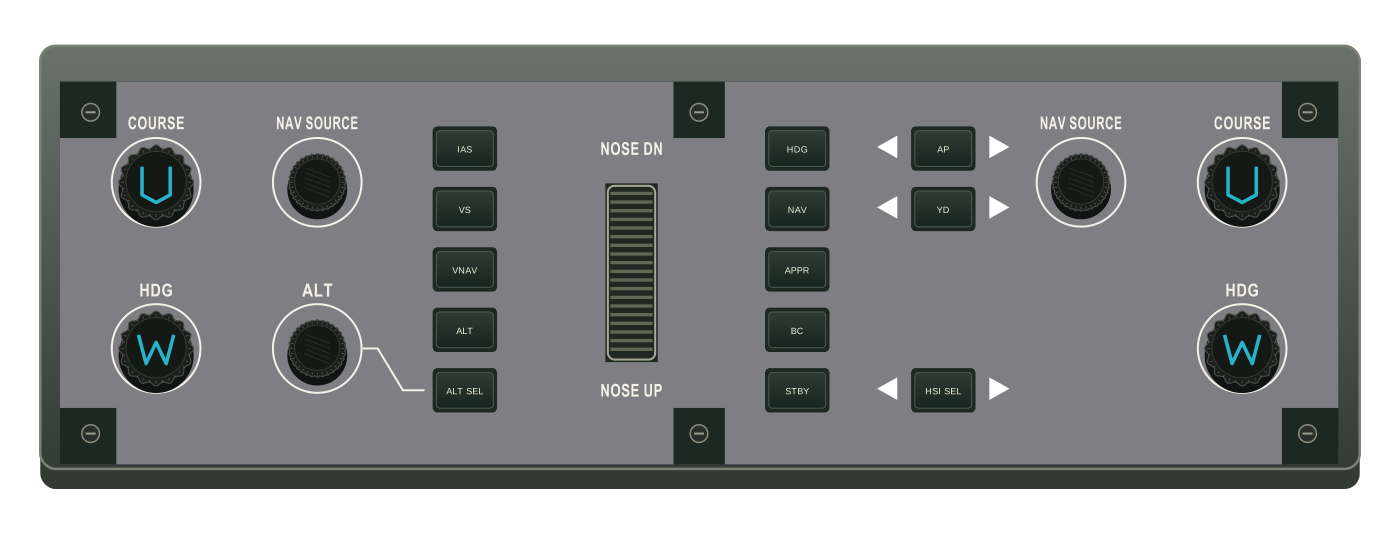
Flight Guidance Control Panel
Bring the Q400’s flight guidance controls to your desk. A dedicated physical panel for Majestic Q400 and FlyJSim Q4XP.
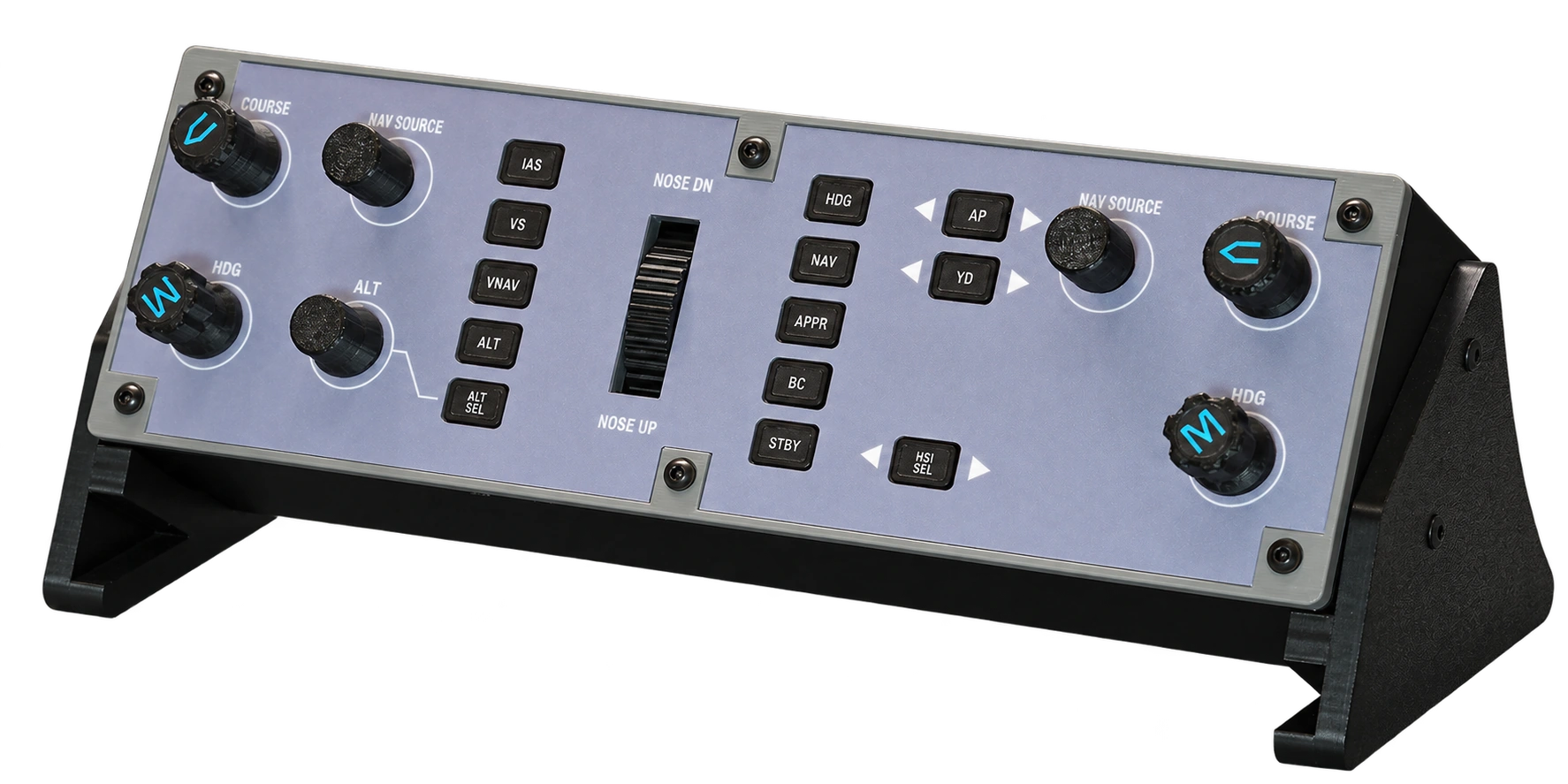 View larger
Explore the real panel. Select a photo, then open it for a closer look.
US$169USD
Worldwide shippingFree shipping within Canada and the contiguous USA. Applicable taxes are additional.
Designed for
Usually dispatches within about 3 business days after payment.
Worldwide shipping from Canada Free shipping within Canada and the contiguous USA (48 states + DC). Other destinations are charged the actual shipping cost, shown before payment. Available services depend on your delivery address.
THE REAL PANEL, UP CLOSE
From the texture of the controls to the glow of the markings. Explore the panel with its backlight off and on.
Explore the details ↗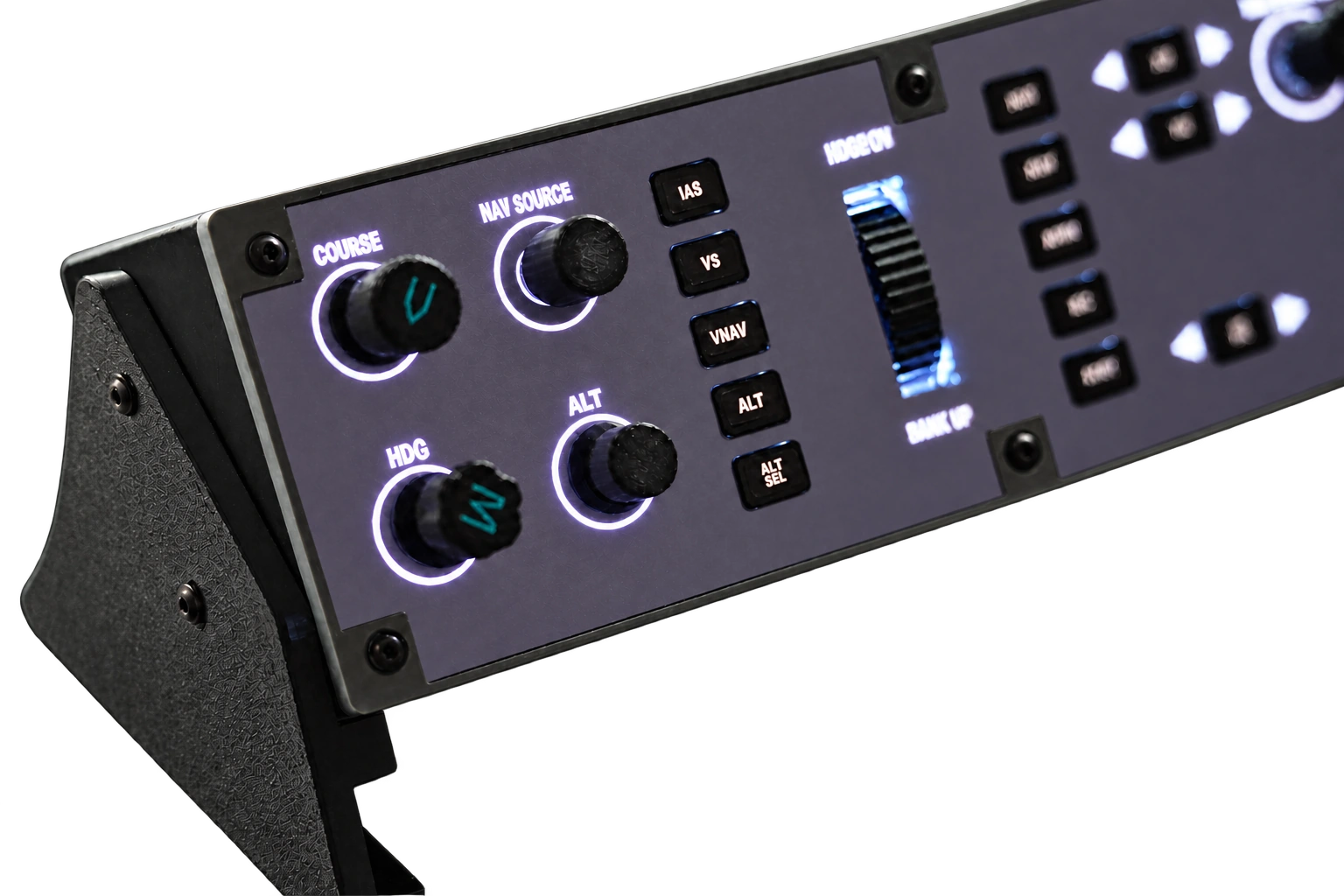 Explore the details ↗
PRODUCT VIDEO
1 min 24 sec · English captions · Music
PRODUCT HIGHLIGHTS
A more hands-on Q400 experience, with a simple connection and a place on your desk.
Reach for a real knob or button. Bring the familiar Q400 layout out of the screen and into your hands.
USB-C handles data and power together, keeping your setup simple without a separate power supply.
Designed around Majestic Q400 and FlyJSim Q4XP, so the panel fits the aircraft you already fly.
SUPPORTED SETUPS
Use your Q400 FGCP with either simulator and aircraft combination below. BRASSWORKS CONNECT handles the connection.
Windows PC Windows 10 (1903 or later) or Windows 11 · 64-bit · BRASSWORKS CONNECT
Majestic Software Q400 + Prepar3D.
View aircraft add-onFlyJSim Q4XP + X-Plane.
View aircraft add-onSimulator and aircraft add-on software are purchased separately. Using a different setup or unsure which edition you have? Ask us about compatibility.
Connect the panel to your PC using a USB-C data cable, open BRASSWORKS CONNECT, then load your supported simulator and Q400 aircraft. The same cable carries data and power.
Download our Windows app to connect your panel, check the controls and manage updates.
Visit SupportPRODUCT DETAILS
Approximate panel and enclosure dimensions are shown below.
FRONT PANEL
 80.2 mm
Approximate design dimensions · excluding stand
WHAT YOU RECEIVE
The hardware to start your desktop setup.
Requires a standard USB-C data cable (not included).
Select Buy now or add the panel to your cart. Enter your delivery details and review the US$169 product price, any shipping charge and the final total. Complete your payment securely through Stripe. Orders normally ship from Canada within three business days of payment.
No. A single USB-C connection carries both data and power. Bring your own USB-C cable that supports data transfer; a cable is not included. Charge-only cables will not connect the panel to the simulator.
BRASSWORKS CONNECT provides the control mapping for Majestic Q400 in Prepar3D and FlyJSim Q4XP in X-Plane, so you do not need to bind each button or rotary control yourself. Install Connect on your Windows PC, connect the panel with a USB-C data cable, then follow the setup guide and load your aircraft. Download Connect and see the setup steps.
The announced setups are Majestic Software Q400 on Prepar3D and FlyJSim Q4XP on X-Plane. Support for Microsoft Flight Simulator or other aircraft has not been announced.
Yes, we offer worldwide shipping from Canada. Delivery is free within Canada and the contiguous United States (the lower 48 states and Washington, DC). Alaska, Hawaii, US territories and other countries are charged the actual shipping cost, shown before payment. Carrier service availability depends on your address. If your destination has no online quote, contact support@flybrassworks.com.
Orders usually dispatch within about 3 business days after payment. This is the preparation time before the parcel is handed to the carrier; transit time depends on your destination and shipping service.
Your panel comes with a 1-year warranty. We also accept returns for change of mind within 14 days of delivery; the buyer pays the return postage for these non-defective returns.
To request a return or warranty assistance, email support@flybrassworks.com with your order number. Contact us before sending the panel back so we can provide return instructions.
The gallery shows our current physical Q400 FGCP, photographed with its backlight off and on. Open any photograph to inspect the controls, markings and finish in more detail. The dimensions diagram is a separate design reference.